
Main feature
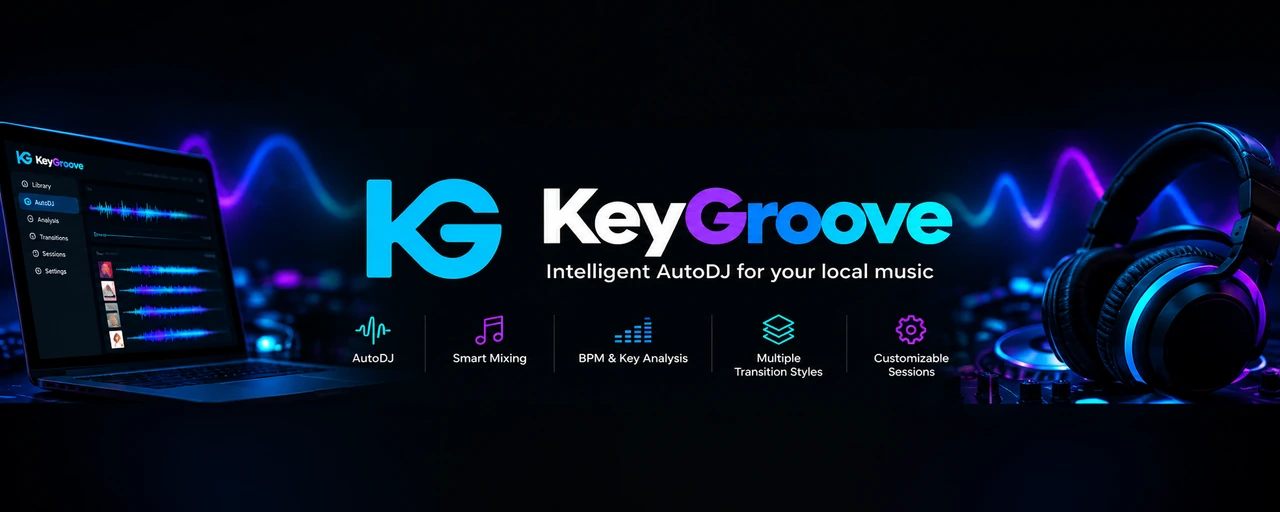
Turn your local music into continuous sessions: AutoDJ selects compatible tracks and prepares each mix.

Get to know the app, explore its features, and learn how to use it. Clear, visual, and easy to follow.

Coming soon to Google Play
A download link will appear here when the official listing is available.
Google Play and the Google Play logo are trademarks of Google LLC.

01 / Features
AutoDJ for your local music library, tools to customize each session, and an experience tailored to your Android screens.
Turn your local music into continuous sessions: AutoDJ selects compatible tracks and prepares each mix.
Customize your mixes, check the beat with BPM Lab, and record sessions with the sound of KeyGroove.
Enjoy your MP3 and FLAC library on phones, tablets, or Android car displays, even offline.
Explore each category to see how KeyGroove analyzes, mixes, and presents your music.
Activating YouTube (Google) shares connection data and may use local storage.
AutoDJ demo · Duration: 2 minutes
Select “Play demo,” then press ▶ to begin.
02 / Demo
Discover how KeyGroove turns your music library into a real DJ session. Watch it analyze tracks and create intelligent automatic mixes.
View tutorials03 / Tutorials
Short videos with accompanying text to help users and make the content clearer to search engines.
Installation and initial setup (planned content).
A walkthrough of the actual features once they are defined.
Answers to common questions and useful tips.
04 / Help
Quick answers, right on this page.
KeyGroove is an Android app that turns your local music library into continuous DJ sessions. Its AutoDJ analyzes the rhythm, key, energy, and structure of tracks to select compatible songs and prepare transitions. You choose the music and press PLAY.
Yes. Playback, music analysis, and local AutoDJ can work offline with tracks stored on your device. You can listen to and mix your own library without depending on whether those tracks are available in a streaming catalog.
KeyGroove works with music stored on your device and supports MP3 and FLAC files. You can organize your library into folders and grant access through Android. Your tracks remain files you can organize, copy, and use outside the app.
KeyGroove is designed for Android phones and tablets. Compatibility with Android displays in vehicles must be checked case by case; Android Auto is a separate platform, and integration with it has not been confirmed. The minimum Android version and technical requirements are still to be confirmed.
Yes. You can choose from the Calm, Normal, Energetic, and Hard profiles, enable or disable transition techniques, and step in whenever you want. You can also change the next track or request a technique for the next mix, shaping the session to your preferences.
Yes. KeyGroove lets you record your own music sessions using tracks from your library. You can save the mixes you create and listen to them again whenever you like.
The initial version of KeyGroove will be free, with no ads, subscriptions, memberships, or in-app purchases. You will be able to use AutoDJ with your local music library without subscribing to a music streaming service.
For now, this website displays “Coming soon to Google Play” and has no active download link. We will enable it when KeyGroove’s official listing is available. The release date has not yet been confirmed.
You can email contact@keygroove.app with questions, technical issues, or suggestions. The form on this website is not yet enabled for visitors. Briefly describe what you need, and avoid including passwords or sensitive information.
05 / Contact
One form for questions, technical support, or ideas for improvement. Each request will be categorized.
Before enabling it, we will set up message delivery and the privacy information.